
MEPCO makes it convenient for consumers to pay their bills online to save from the hassle of going to the customer service center or waiting for the bill.
check MEPCO bill online system allows you to see your bill instantly, check bill history, and make payments. It helps in managing your bill in an environment-friendly way.
Checking WAPDA bills regularly allows you to keep a record of electricity usage and discounts offered, and to remind yourself before getting fined. This can save you money on electricity bills.
Do you want to check your electricity bill with just a few clicks? Here is a simplified approach to understanding the complete process.
Table of Contents
ToggleMEPCO Bill Online Check Karne Ka Complete Process
MEPCO offers various ways of validating MEPCO bills online. The choice entirely depends on the preference of the consumers. Here is the entire information provided about the process of MEPCO bill validation. Go through all of these and choose the best one for yourself.
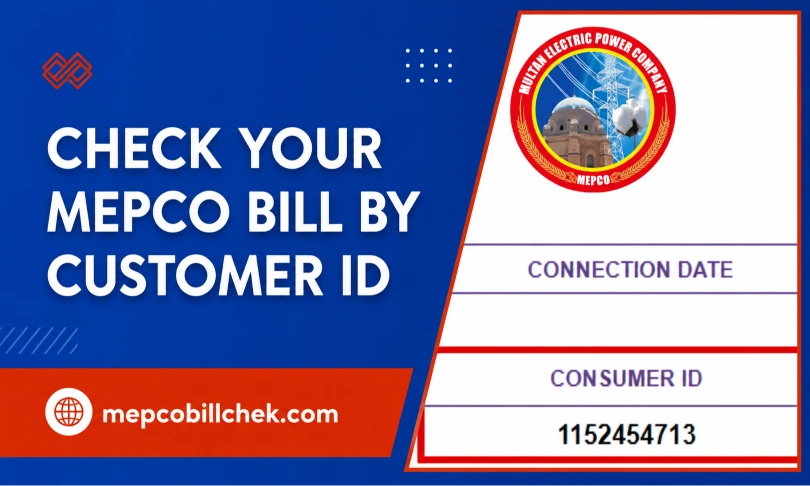
Check MEPCO Bill by Consumer ID – Multan Online
If you have any worries about checking the MEPCO bill without using the reference number, then you should try another way. Online bill check mepco can be done with the help of consumer ID/ customer ID. So now you will be thinking that how do I find my customer ID. Your customer ID will be 10-digit long and is found below the reference number.
- Check your customer ID from the previous bill.
- Use the 10-digit consumer ID in the input box.
- Hit on the search button. You will see your bill.
CNIC Se MEPCO Bill Online Check Karne Ka Tariqa
When you don’t have any consumer ID or reference number, then you might wonder; “Can I verify my MEPCO bill online via CNIC?” The answer to that question is no; you cannot verify your MEPCO bill online using your CNIC number. MEPCO does not offer its consumers the facility of CNIC bill verification.
Check MEPCO Bill Online by Reference Number
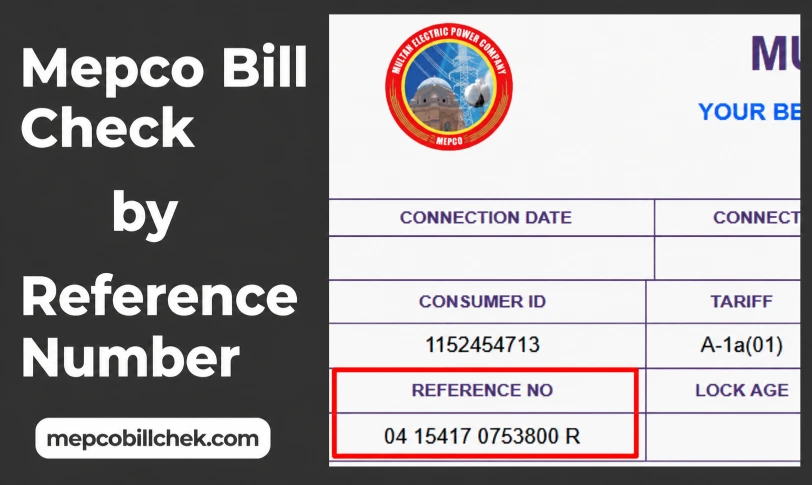
Check MEPCO Bill by Reference Number is one of the easiest ways of checking bill for electricity consumers. A reference number is a 14-digit number which is issued only for your electricity connection. It is a convenient way of checking your bill of Multan Electric Power Company online.
- Visit: mepcobillchek.com
- Enter 14 digit reference number in input box.
- Click on search tab. Your bill details will appear immediately.
Check MEPCO Bill Online by Code
Details regarding bills are provided to consumers by MEPCO using a simple SMS service. In case you wish to get your MEPCO bill details through SMS, all you need to do is to use your mobile messaging service and send a text message that begins with PITC followed by a blank space and your 14-digit reference number. Your text should be sent to MEPCO SMS code 8334. Once your request is processed, you can get your electricity bill details right on your mobile device.
Check MEPCO Bill Online Using Browser Extensions
Chrome browser extensions will enable you to review your MEPCO electricity bill online without having to go through the trouble of finding the bill reviewing page every time. Once you have downloaded a proper extension, input your 14 digit MEPCO reference number into the designated space and click the “Check MAPCO Bill” or Search button. This action will lead you to the MEPCO bill reviewing page where you will be able to see all the details about your latest bill. You will also be able to print the bill or download it as per your requirements.
Steps to follow:
- Download the Chrome extension
- Click the "Check MAPCO Bill" button
- Input your reference number
- Review your MEPCO bill details
- Print or download the bill if required
Check MEPCO Bill Online by Meter Number or Serial Number
Each electricity meter has a meter number or serial number, which acts as the unique identification code for the electricity connection. This number is mostly printed on the electricity bill, and even on the actual electricity meter. But at the moment, MEPCO customers cannot access their bill using the meter number or serial number online. You require your 14-digit reference number for such activities in general.
If you don’t have your reference number, you may get in touch with MEPCO customer care or MEPCO offices and give your meter number/connection details. They will be able to find your account and help you with your billing details.
Check MEPCO Old Bill
If you are looking to see your old bills with respect to MEPCO, checking the history of your bills will help you look into your past electricity bills and even make comparisons between them. If you would like to look into your previous month’s MEPCO bill, or even at your billing history, all you need is to go through the following easy process:
- Go to the MEPCO bill-checking website.
- Input your 14-digit reference number / consumer ID.
- Press the Search / Check Bill button.
- Your current MEPCO bill will show up on your screen.
- Print or download the bill if required
- Print/download the bill.
Look into the Previous Bill History Section to see your bill history records for different months There may be some important information available in your bill history like number of units consumed, billing amount, due date, payment status, meter reading and other billing information.
Common Questions
How to View and Print Check MEPCO Bill Online?
How will I know the previous month’s MAPCO bail?
How to check electricity bills online in Pakistan?
How to receive MEPCO online bill as SMS?
How can we apply for bill correction?
Conclusion
The MEPCO bill online check is an easy way to get updated information about the bill, previous history, and payment status of MEPCO customers. There are different ways through which MEPCO has online bill checking facility. One can check the MEPCO bill by referring to the reference number. In case one does not have the reference number, he/she can check through customer ID. The MEPCO SMS service is another good way to do the Wapda bill check mepco. In addition, MEPCO bill check application and extension also help in online bill checking.